

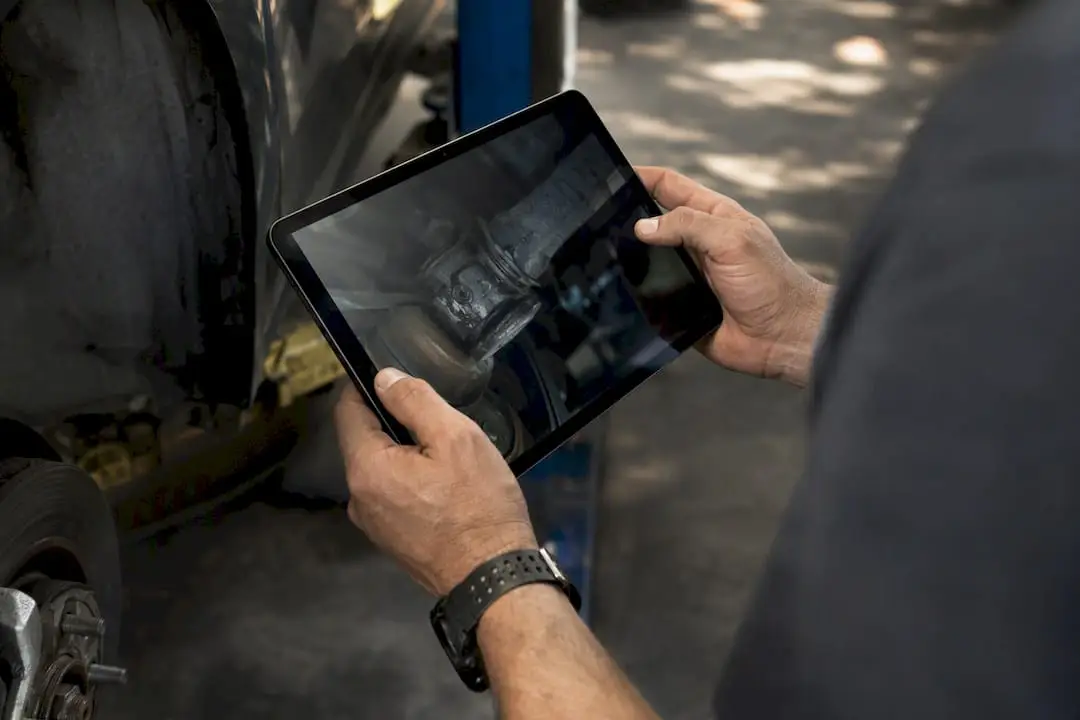
A digital vehicle inspection, or DVI, is a phone or tablet based checklist that an ASE-certified technician runs on your car, tagging every finding with a photo or video and a color-coded severity rating. The outcome for you is simple: you see the worn brake pad or cracked belt yourself, right on your phone, and you can approve or hold off on repairs from wherever you are. No guessing, no “trust me” over the phone.
Key Takeaways
A digital vehicle inspection works because it replaces verbal repair recommendations with photo-backed evidence you can review and approve remotely.
| Point | Details |
|---|---|
| DVI defined | A technician documents your vehicle’s condition with photos, video, and color-coded ratings on a phone or tablet. |
| Workflow is fast | Reports typically arrive by text or email link within minutes of inspection completion, no app required. |
| Look for connected features | VIN scanning, mandatory photos, and repair-order writeback separate mature DVI workflows from basic PDFs. |
| Know the limits | Photos need context from your advisor, and connectivity or training gaps can affect report quality. |
| Express Lube & Car Care’s approach | ASE-certified technicians document every visit with photos and back approved repairs with a 24-month/24,000-mile warranty. |
Table of Contents
- What Is a Digital Vehicle Inspection, and What Are the Key Terms?
- How Does a Digital Vehicle Inspection Actually Work?
- Why Digital Vehicle Inspections Build Trust Between You and Your Shop
- What DVI Features Should You Look For in a Shop or App?
- What Types of Digital Vehicle Inspection Systems Will You Run Into?
- How Long Does a DVI Take, and What Should It Cost?
- How Do You Read a DVI Report and Decide What to Approve?
- What Does the DVI Process Look Like at Express Lube & Car Care?
- What Are the Limitations of Digital Vehicle Inspections?
- How Can You Prepare for a Smooth DVI Appointment?
- Ready to See Your Vehicle’s Digital Inspection Report?
- Sources
- FAQ
What Is a Digital Vehicle Inspection, and What Are the Key Terms?
A digital vehicle inspection replaces the old paper clipboard with a standardized digital workflow that puts photographic proof in front of you before you approve anything. Once you know a few terms, reading a report gets a lot easier.
- MPI (multipoint inspection): the actual checklist of items being checked, such as brakes, tires, and fluids.
- DVI: the digital format that delivers that checklist to you with photos and ratings attached.
- DVIR: a different animal entirely, used mainly by commercial fleets for federally required driver vehicle inspection reports.
- RO (repair order): the work order tied to your visit, which a connected DVI can update automatically.
- Color-coded severity: typically green (fine), yellow (watch it), and red (needs attention soon).
Typical checkpoints include brake pad thickness, tire tread and pressure, fluid levels, belts and hoses, lights, and the undercarriage. For a fuller rundown of what gets checked, this multipoint vehicle inspection guide breaks down each item.
How Does a Digital Vehicle Inspection Actually Work?
The workflow behind a DVI is more straightforward than most owners expect, and it usually moves fast enough that it doesn’t add real time to your visit.
- The advisor opens your repair order and selects the right inspection template for your vehicle.
- A technician walks the car, snapping photos or short videos of anything worth flagging, then assigns a color rating to each item.
- The advisor reviews the findings and packages them into a report.
- You get a text or email with a secure link.
- You open it, tap through the photos, and approve, decline, or defer each recommended item.
- Approved work updates the repair order automatically and triggers the parts order.
Say the technician photographs a worn rear brake pad and marks it red. You tap “approve” on your phone from the waiting room, and parts get ordered before you’ve finished your coffee. Most shops send a one-tap SMS or email link that opens right in your phone’s browser, so there’s nothing to download. That’s different from a “connected” DVI, where findings write directly back into the shop’s management software, versus a standalone PDF that just sits in your inbox with no link back to the actual repair order.
Why Digital Vehicle Inspections Build Trust Between You and Your Shop
The biggest shift a DVI creates is moving the conversation from “trust me” to “look at this.” Instead of taking a technician’s word for a failing part, you get photographic evidence attached to the exact line item on your invoice.
- You see proof before you pay for anything, which cuts down on disputes.
- You can approve work remotely instead of waiting around or playing phone tag with an advisor.
- Your inspection history builds a documented maintenance record that can help at resale time.
- Shops that use DVIs tend to run more consistent inspections since technicians follow the same template every time.
Statistic callout: Industry sources report that shops using consistent photo and video documentation see higher approval rates and smoother dispute resolution, though the exact lift varies by shop and how strictly photos are required. The pattern holds regardless of the specific number: when you can see the problem, you’re more likely to say yes to fixing it.
What DVI Features Should You Look For in a Shop or App?
Not every “digital inspection” is built the same way, and the difference between a basic checklist and a mature workflow comes down to specific features.
- Mandatory photo or video on every flagged item — no photo, no red flag, no exceptions.
- Color-coded severity so you can triage urgency at a glance.
- VIN scanning to pull the correct vehicle data and cut down on manual entry errors.
- Template customization so the checklist actually matches your vehicle type.
- Automatic estimate line creation from flagged findings, so pricing isn’t typed in by hand later.
- Repair-order (DMS) writeback, meaning findings update your actual work order instead of floating in a separate app.
- Browser-based delivery so you’re not forced to download anything just to view your report.
- Media markup tools that let advisors circle or annotate exactly what they’re pointing at.
- Stored inspection history you can pull up at your next visit or when selling the car.
VIN scanning matters more than it sounds. It keeps year, make, and model data accurate so you’re not quoted a part for the wrong trim level. And photos are what actually settle disagreements when a repair recommendation feels surprising.
Pro Tip: Ask whether the shop’s DVI writes findings directly into the repair order and generates the estimate automatically. That single feature separates a mature, connected DVI workflow from a disconnected PDF that someone has to retype into an invoice.
What Types of Digital Vehicle Inspection Systems Will You Run Into?
Not every shop or dealership runs the same kind of system, and knowing the difference helps you set the right expectations.
- Mobile app based DVIs are what you’ll see at most independent shops: a technician walking around your car with a phone or tablet, working through a checklist.
- Automated drive-through scanners use high-resolution cameras and AI to capture exterior and undercarriage condition in seconds, common at high-volume dealerships and fleet operations where speed and objectivity matter more than a technician’s narrative.
- Fleet-focused platforms handle DVIRs, which follow federal reporting rules for commercial drivers and look different from the consumer-facing report you’d get after an oil change.
If you’re a daily driver bringing your car in for routine service, you’ll almost always encounter the mobile app version, not an automated scanner.
How Long Does a DVI Take, and What Should It Cost?
A quick multipoint check often adds only a few minutes to a routine service, while a thorough pre-purchase inspection can run 60 to 120 minutes depending on how deep the checklist goes.
- Basic MPIs bundled with an oil change: usually free or low-cost, folded into the visit.
- Standalone comprehensive inspections: priced separately, with cost tied to how many systems get checked and whether diagnostics are included.
- Faster approvals from a clear DVI report mean shorter wait times for you and a documented history that helps at resale or if a dispute ever comes up.
How Do You Read a DVI Report and Decide What to Approve?
When your report lands, work through it with a few questions in mind: what’s urgent, what can wait a few months, what will it cost, and is there a warranty on the parts or labor?
- Red items typically mean a safety or reliability concern that shouldn’t wait.
- Yellow items mean “keep an eye on it,” often worth scheduling for your next visit.
- Green items are fine as-is.
- Photos and video clips attached to each line are there specifically so you can judge severity yourself, not just take the color at face value.
Pro Tip: Save every DVI report you receive. A documented maintenance history with dated photos is genuinely useful when you sell the car, and it lets a shop track anything you deferred so it isn’t forgotten at your next appointment.
What Does the DVI Process Look Like at Express Lube & Car Care?
Here’s how it runs when you bring your vehicle to us: you pull in, we open your repair order, and one of our ASE-certified technicians works through your inspection with photos attached to anything worth noting. Your advisor reviews those findings before anything goes to you, then sends a report to your phone by text or email.
- You approve, decline, or defer each item right from that link.
- Approved repairs update your repair order and trigger parts ordering immediately.
- Every completed repair carries our 24-month/24,000-mile warranty.
- Your inspection photos stay attached to your service record for future visits.
You walk away with more than a fixed car. You get a documented, photo-backed record of what was checked and what was found, handled by technicians whose credentials you can verify before you ever hand over your keys.
What Are the Limitations of Digital Vehicle Inspections?
DVIs solve a lot of trust problems, but they aren’t flawless, and knowing where they fall short helps you set realistic expectations.
A photo can show you a worn part, but it can’t always convey urgency the way a technician’s explanation can. A slightly glazed brake rotor might look alarming in a close-up photo even when it has months of life left, so it’s worth asking your advisor to walk you through anything that looks worse than expected. Reports also lean heavily on how well an individual technician documents findings. A rushed inspection with vague photos gives you less to work with than a thorough one, which is exactly why shop reviews and technician credentials matter when picking where you go.
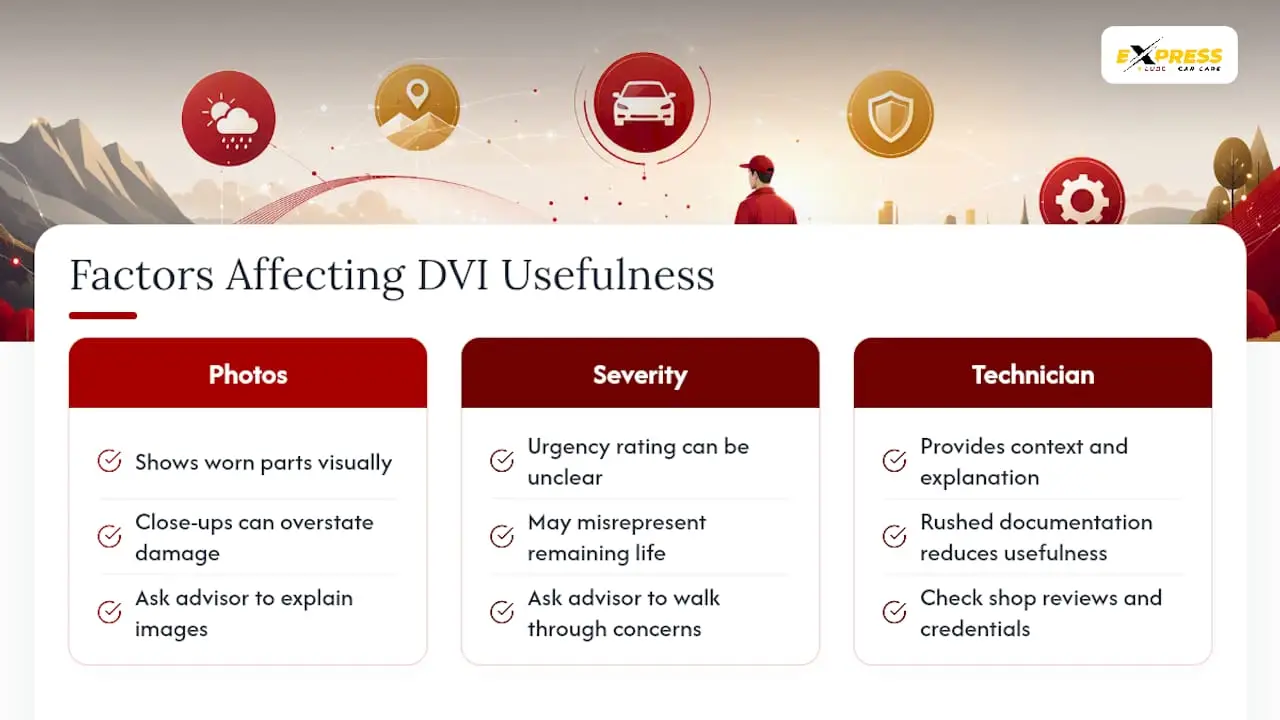
Connectivity is another practical limit. Most shops rely on in-bay Wi-Fi or LTE to send you that report, and while offline capture exists in some products, it isn’t universal. If you’re in a dead zone, expect a short delay before your link arrives.
There’s also a training gap that shows up more than owners realize. A DVI report only works as well as the advisor using it. Industry guidance points out that DVIs deliver the most value when advisors are trained to use the report itself as the conversation rather than falling back on a phone pitch that ignores the photos entirely. If your advisor never references the report during your conversation, that’s worth noting.
Finally, don’t confuse a consumer DVI with a commercial DVIR. If you’re researching fleet compliance rules, you’re looking at a different regulatory framework entirely, not the inspection you get during a routine oil change.
How Can You Prepare for a Smooth DVI Appointment?
A little preparation on your end helps the technician give you a more accurate, more useful report.
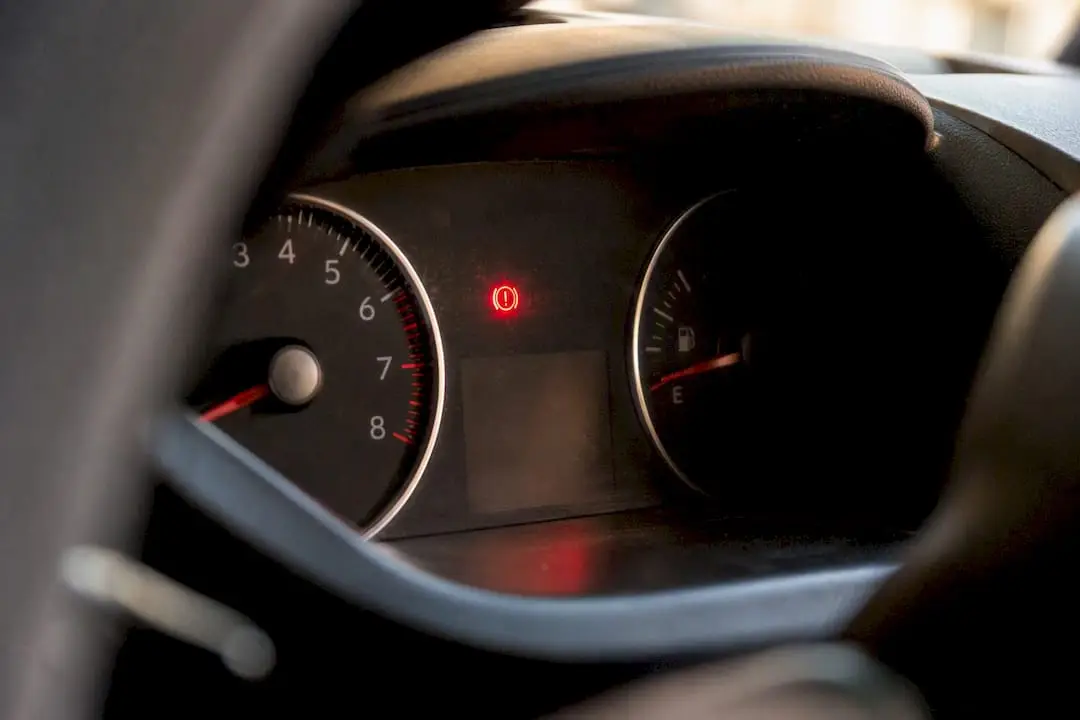
Come in with a short list of anything you’ve noticed, even if it sounds minor: a noise on turns, a dashboard light, a pull to one side while braking. Technicians can’t photograph or investigate a symptom they don’t know to look for, and vague complaints (“it just feels off”) give them less to work with than something specific (“grinding noise when I brake going downhill”).
Make sure your phone can actually receive texts or emails at the number and address on file, since that’s how your report link arrives. If you’re waiting on-site, keep your phone charged and nearby so you’re not delaying your own approval process. If you’re dropping the car off, check that you’ll have a few minutes free sometime during the day to review the report and respond. Repairs and parts orders don’t move until you tap “approve.”

It also helps to review your last maintenance checklist before your visit so you know what’s already been addressed recently and what might be coming due. That way, when a yellow or red item shows up, you’ll have context for whether it’s a surprise or something you were already expecting. And if you’ve had recent work done elsewhere, mention it. It helps the technician avoid flagging something that was already fixed.
Why We Recommend Digital Vehicle Inspections
We’ve watched DVIs change how customers respond to repair recommendations. When someone can see the worn part instead of just hearing about it, approvals happen faster and with less back-and-forth. It fits how we already operate: honest pricing, certified technicians, and nothing recommended without a reason you can see for yourself.
Ready to See Your Vehicle’s Digital Inspection Report?
Express Lube & Car Care runs a digital vehicle inspection on your car with the same walk-in convenience you already expect from us, no appointment required and no app to download.
Every visit includes photo-backed findings reviewed by an ASE-certified technician, a report sent straight to your phone, and repairs backed by our 24-month/24,000-mile warranty. If a bigger repair comes up in your report, our financing options can help you handle it without delay, and current service specials often apply to work flagged during your inspection. Stop by or book your next visit and see exactly what our technicians find, in photos, before you approve a thing.
Sources
- Digital Vehicle Inspection — Workshop Software knowledge base
- Everything you need to know about Digital Vehicle Inspections — AutoLeap
FAQ
What Is a Digital Vehicle Inspection?
A digital vehicle inspection is a phone or tablet based checklist where a technician photographs and rates the condition of your vehicle’s systems, then sends you a report to review and approve.
Is North Carolina Getting Rid of Vehicle Inspections?
That question concerns state emissions and safety inspection laws, which are separate from a shop’s digital vehicle inspection process. Check your state’s DMV for current safety and emissions inspection requirements, since those rules vary by state and aren’t part of a shop’s DVI workflow.
What Is the Best Free Digital Vehicle Inspection App?
Most DVI tools are shop-side software rather than free consumer apps, since the technician runs the inspection and sends you a link to review. As a customer, you typically don’t need to download or pay for anything. You just open the report link your shop texts or emails you.
Can You Do Car Inspections Online?
You can review and approve a completed digital vehicle inspection online through a secure link, but the actual physical inspection still requires a technician examining your vehicle in person.
Do I Need an App to View My DVI Report at Express Lube & Car Care?
No. Express Lube & Car Care sends your inspection report as a secure link by text or email that opens directly in your phone’s browser, so there’s nothing to install.